
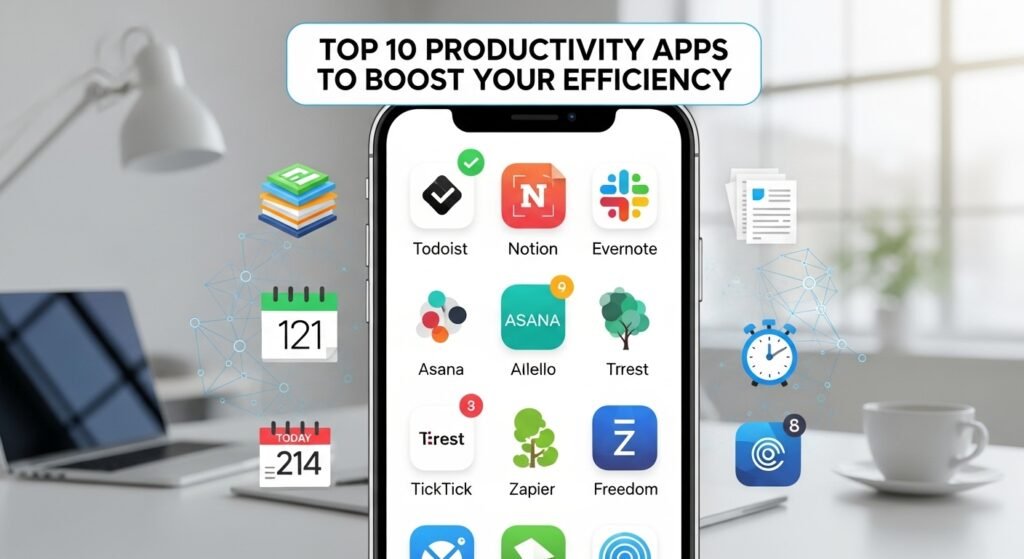
Productivity is the foundation of success, whether you’re managing a demanding job, running a business, or juggling multiple projects. In 2025, the productivity app landscape has evolved dramatically with intelligent tools that automate workflows, consolidate scattered tasks, and provide actionable insights into how you spend your time. The right productivity app can transform chaos into organized action, saving you hours each week and helping you focus on what actually matters. This guide explores the ten most effective productivity apps available today, helping you identify which solutions align with your specific workflow needs.

Todoist – Task Management Excellence
Todoist remains the gold standard for task management, offering both simplicity and depth depending on your needs. This powerful to-do list app works solo or with teams, allowing you to keep your lists simple or add intricate details like comments, priority ratings, subtasks, and tags. Natural language processing means you can type phrases like “tomorrow” or “next Friday” and the app automatically understands your intended due date.
The app’s flexibility is its greatest strength. Beginners appreciate the straightforward task creation and completion tracking, while power users leverage advanced features like recurring tasks, custom filters, and complex project structures. Todoist integrates seamlessly with hundreds of other tools, making it a central hub in productivity-focused workflows. The free version covers essential functionality, while Pro and Business tiers unlock advanced features like unlimited projects, smart scheduling, and team collaboration capabilities.
Todoist works across iOS, Android, desktop, and browser extensions, ensuring your tasks synchronize perfectly regardless of which device you’re using. The ability to organize work by project, priority, and deadline means nothing falls through the cracks.
Akiflow – Unified Task Consolidation
Akiflow tackles one of modern work’s greatest challenges—notification overwhelm and task fragmentation. This innovative app integrates with your email, Slack, Notion, Todoist, Asana, Trello, and numerous other platforms, pulling all tasks into a single inbox. Rather than bouncing between applications, every actionable item from every tool appears unified in Akiflow.
Beyond consolidation, Akiflow enables sophisticated task organization into folders and projects, then maps everything onto your calendar for structured planning. Completed tasks are tracked with duration data, providing analytics that reveal exactly how much time you invested in specific projects or tasks. For anyone managing multiple projects or freelance work outside primary employment, this time-tracking transparency proves invaluable.
The platform includes daily planning rituals and shutdown ceremonies to bookend your workday effectively. An AI assistant named Aki can help organize your day intelligently, while regular updates introduce fresh features consistently. Although Akiflow sits at a higher price point, frequent promotional discounts make it accessible for serious productivity enthusiasts.
Forest – Gamified Focus and Pomodoro Method
Forest transforms focus sessions into an engaging game where you plant a virtual tree when starting work. The tree grows as you maintain focus and remain within the app—leaving the app causes the tree to die. Over time, you cultivate an entire forest representing your dedicated focus sessions.
This gamification approach leverages the Pomodoro Technique’s scientifically-backed work intervals to help users maintain attention spans and reduce digital distractions. The visual representation of your focus efforts provides motivation and creates accountability. Forest works across iOS and Android, helping users of any platform maintain focus during work sessions. The combination of behavioral psychology principles with simple, delightful interface design makes Forest particularly effective for users who struggle with distraction.
RescueTime – Automated Productivity Tracking
RescueTime runs quietly in the background, automatically tracking your digital activities and generating analytics that reveal exactly where your time goes. The app categorizes activities into levels like Focus Work, Other Work, Personal, Neutral, and Distracting, providing transparent insights into productivity patterns.
Users set their work hours, and RescueTime only tracks activity within those windows, protecting personal browsing privacy. The app identifies which websites and applications consume your time, then organizes this data into comprehensive reports delivered daily, weekly, and monthly. This transparency helps identify productivity drains—excessive email checking, social media scrolling, or context switching—enabling informed decisions about workflow optimization.
RescueTime includes AI-powered notifications recommending break times based on work activity patterns, helping prevent burnout through intelligent pacing recommendations. For anyone curious about how time actually flows through their day, RescueTime provides indispensable data.
Rize – AI-Powered Time Tracking and Insights
Rize represents the next generation of time-tracking apps, combining automatic activity tracking with AI-powered insights specifically designed for business owners, freelancers, and time-conscious professionals. Upon starting your computer, Rize automatically tracks workflows and categorizes them into customizable categories. You maintain control with the ability to toggle tracking on and off or manually adjust categorizations.
The app’s intelligent categorization learns your work patterns, accurately identifying activities with minimal manual adjustment required. Rize organizes time into sessions representing focus periods, meetings, and breaks, then provides comprehensive reporting. Daily email reports summarize your time breakdown, while weekly and monthly insights reveal productivity trends and help establish sustainable work habits that prevent burnout.
Rize allows you to add projects, tasks, and clients with custom icons, colors, and budget hours, enabling seamless time attribution across multiple work streams. The personal productivity insights and trend analysis help identify patterns that lead to better work habits. While Rize sits at a higher price point than some alternatives, the combination of automation, intelligence, and actionability justifies the investment for professionals who value their time.
Plaky – Team Workflow Organization
Plaky specializes in team productivity, offering board-based workflow organization that consolidates tasks, progress tracking, and team communication in a single location. The platform features three distinct board views: Table view for quick task overview, Kanban view for visualizing workflow progression, and Gantt chart view for project timeline visualization.
The app’s strength lies in granular task organization using items and subitems, ensuring comprehensive task breakdown with individual deadlines, assignees, and priority levels. Team collaboration happens directly within the platform through comment sections enhanced with emoji reactions, eliminating message overload in favor of quick acknowledgments. Plaky scales from individual users through enterprise teams, with free plans for solo productivity and tiered pricing for team collaboration.
Google Docs – Collaborative Document Creation
Google Docs remains essential for modern document creation and collaboration, offering intelligent features like smart compose and voice typing that accelerate writing. The app includes spelling corrections, grammar suggestions, and real-time collaboration, enabling simultaneous editing by multiple team members. Documents automatically save to the cloud, eliminating version control concerns.
Offline editing capability ensures productivity continues without internet connectivity, while document translation features overcome language barriers. For teams collaborating on everything from meeting notes to comprehensive reports, Google Docs provides accessible, powerful, and free functionality that integrates seamlessly with the broader Google Workspace ecosystem.
Calendly – Intelligent Meeting Scheduling
Calendly eliminates the back-and-forth email exchanges that waste countless hours weekly. This meeting scheduling platform connects to your calendar, displays your availability, and lets others book time directly without coordination messages. Team scheduling capabilities handle complex multi-person meetings, while meeting polls enable quick consensus on timing.
The app provides analytics revealing meeting patterns, scheduling trends, and time utilization insights. Calendly works for individual professionals scheduling client meetings, sales teams coordinating prospect discussions, and organizations managing interview processes. By automating the scheduling friction, Calendly frees users to focus on actual work rather than calendar coordination.
Grammarly – Writing Quality Assurance
Grammarly transforms written communication across email, messaging, documents, and web platforms by catching grammar errors, suggesting tone adjustments, and checking for plagiarism. Professional writing quality matters tremendously in business communication, yet many people rush through emails and messages without proper editing.
The app works wherever you type online, providing real-time writing suggestions without requiring you to leave your workflow. Content scoring reveals overall writing quality, while detailed explanations help you understand grammar rules and improve your writing over time. For non-native English speakers and professionals who write frequently, Grammarly ensures polished communication that reflects your competence.
Notion – All-In-One Workspace
Notion serves as a comprehensive workspace where you create databases, manage projects, write documentation, and organize information hierarchically. The platform’s flexibility allows customization for virtually any productivity workflow, from personal task management to complex team knowledge bases.
Notion integrates with numerous tools, including Gmail, Apple Calendar, and specialized productivity platforms like Akiflow. The learning curve is steeper than simpler apps, but mastering Notion’s capabilities creates a unified hub for knowledge management and project organization. For teams needing customized productivity solutions that evolve with organizational needs, Notion provides unlimited flexibility.
Sunsama – Time Visibility and Workflow Division
Sunsama helps users identify where time actually goes, revealing whether your days align with intended priorities. The app visualizes time division across tasks, helping users make informed decisions about daily workflow structure. Sunsama integrates with Gmail, Apple Calendar, Notion, and other tools to consolidate your schedule and task lists.
For small business owners and professionals uncertain about time allocation, Sunsama provides the visibility necessary to optimize workflow. The integration ecosystem continues expanding as the team identifies valuable connections, with users helping guide development through community feedback.
Finding Your Productivity Perfect Fit
Selecting the right productivity app depends on your specific challenges and workflow style. If scattered tasks across multiple platforms overwhelm you, Akiflow’s consolidation approach provides immediate relief. For pure task management, Todoist remains unmatched. If focus maintenance struggles plague your work, Forest’s gamification offers proven results. When time awareness is needed, RescueTime and Rize provide complementary approaches.
Many successful users leverage multiple apps simultaneously, using each tool’s strengths: Todoist for task management, Google Docs for collaboration, Calendly for scheduling, and Grammarly for writing quality. The key is selecting apps that solve your specific productivity pain points rather than adopting every available tool. Start with one or two that address your most pressing challenges, then expand your productivity stack as you identify additional needs.
Productivity ultimately boils down to three elements: clarity about what matters, focus to execute work effectively, and reflection to continuously improve. The best productivity apps amplify these three elements through intelligent design, seamless integration, and actionable insights. Whether you’re scaling a business, managing complex projects, or simply trying to reclaim your time, these ten apps represent proven solutions that have transformed how modern professionals work in 2025.