

Your Android home screen is your digital front door—the first thing you see each morning and your launchpad for everything you do with your phone. While stock Android launchers are functional, they offer limited personalization options and rarely reflect your unique style. Custom Android launchers have revolutionized the mobile experience, allowing users to completely redesign their interfaces, add dynamic widgets, customize icon packs, and organize apps exactly how they want. In 2025, the launcher ecosystem offers solutions for every preference—from minimalist designs that reduce distractions to feature-rich platforms offering god-mode customization. This guide explores the best Android launchers available today, helping you discover which one transforms your home screen from basic to extraordinary.
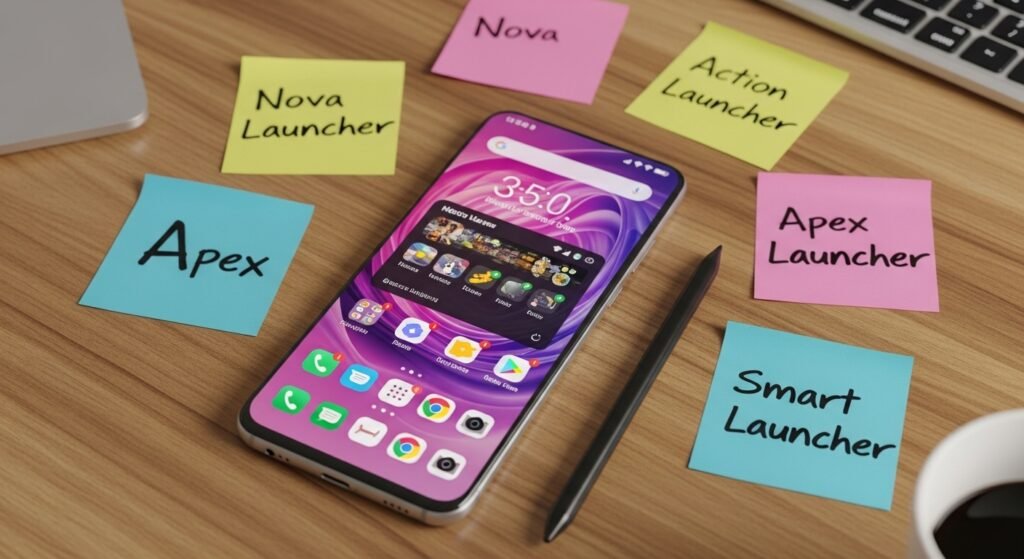
Nova Launcher – The Customization Classic
Nova Launcher stands as the undisputed king of Android customization, having maintained its position for over a decade through consistent excellence and regular updates. For users who want extensive control over every aspect of their home screen, Nova Launcher delivers unparalleled options without overwhelming complexity.
The customization possibilities feel nearly limitless. Adjust icon sizes, choose from thousands of icon packs, customize folder appearance and behavior, create custom gestures for specific actions, set up scrollable docks with multiple pages, configure notification badges exactly how you want them, and enable infinite scrolling across your home screens. The app drawer can be organized by categories or displayed in various sorting methods. Advanced features include dynamic notification badges, launcher shortcuts powered by Sesame technology, and extensive animation controls.
Nova Launcher performs remarkably well without consuming excessive system resources or draining battery, maintaining responsiveness even with dozens of home screen customizations. The free version offers substantial functionality, while Nova Prime ($4.99 one-time purchase) unlocks advanced features like gesture-based app launching, screen edge gestures, and fine-tuned animation control.
Longtime Nova users consistently report satisfaction after years of use, with regular updates introducing improvements without breaking existing setups. For anyone seeking comprehensive customization with proven reliability, Nova Launcher remains the definitive choice.
Niagara Launcher – Minimalist Focus
Niagara represents an intentionally opposing philosophy to feature-heavy launchers. The design principle is straightforward: eliminate distractions and surface only what matters at any given moment. Your favorite apps appear front and center with intelligent prioritization, notifications display directly on your home screen with spam automatically filtered, and the interface remains virtually distraction-free.
The app drawer uses alphabetical shortcuts, making app discovery effortless, while recent apps appear with a swipe. The minimalist aesthetic deliberately avoids visual frills, ornate widgets, or unnecessary options. Niagara integrates with Android’s Private Space feature on newer devices, allowing secure separation of apps requiring heightened privacy.
Frequent updates demonstrate the developer’s commitment to evolution despite the focused feature set. For users who find traditional Android customization options overwhelming or want to minimize device distraction, Niagara’s extreme minimalism proves liberating. The free version provides full functionality, with optional premium features adding additional capabilities.
Lawnchair – Pixel Aesthetics Enhanced
Lawnchair draws inspiration directly from Google Pixel launchers while adding substantial customization beyond the standard Pixel experience. The launcher is open-source, meaning transparency about code and ongoing community development.
Icon customization extends beyond standard options through Lawnicons, a companion project providing themed icon pack support covering thousands of apps. Users customize icon shapes, folder sizes, and adapt the At-a-Glance widget extensively. The integration with Material You design themes means colors adapt to your current phone wallpaper automatically.
Lawnchair remains free to download from the Play Store or GitHub with no ads or artificial limitations. Active community development continues despite past leadership transitions, with the project evolving in version 14 at the time of writing. For anyone desiring Pixel-like aesthetics with deeper customization options, Lawnchair delivers exceptional value at zero cost.
Smart Launcher 6 – Intelligent Organization
Smart Launcher 6 distinguishes itself through intelligent app categorization and smart search capabilities rather than endless customization options. The launcher automatically organizes your apps into logical categories—Social, Games, Tools, System, Media—making discovery intuitive and faster.
The Smart Search feature elevates functionality by searching apps, contacts, Play Store suggestions, web results, and media, all from a single input box. Backup functionality preserves your launcher configuration, making it simple to restore your entire setup if your phone resets. Gesture controls, Material You color support, and extensive customization options provide depth without excessive complexity.
Smart Launcher 6 offers a free version with core features, while premium options ($0.99-$2.99 one-time or subscription) unlock advanced capabilities. For users who appreciate organized app management and smart search more than raw customization, Smart Launcher 6 provides a refreshingly practical approach.
Total Launcher – Create from Scratch
Total Launcher provides a unique approach by allowing users to design layouts completely from scratch or modify shared community templates. The customization depth approaches “god mode”—nearly every visual element can be modified, moved, resized, or completely redesigned.
This freedom appeals to users wanting unique interfaces rather than variations on traditional home screen designs. Community members share creative layouts, providing inspiration and ready-made starting points. The learning curve is steeper than traditional launchers, requiring experimentation and patience to master possibilities. Total Launcher delivers unmatched flexibility for users willing to invest time learning its capabilities.
OLauncher – Minimalist Simplicity
OLauncher represents extreme minimalism, stripping the home screen to essential functionality only. Featuring a monochrome design, zero animations, and no distracting widgets, OLauncher forces focus on apps and tasks. The interface displays an app grid with customizable rows and columns, allowing quick access without cognitive overhead.
The launcher is completely free and designed for users wanting to minimize phone dependency through intentional design choices. For anyone struggling with smartphone addiction or seeking to reduce digital distractions, OLauncher’s austere approach provides a powerful tool.
Microsoft Launcher – Productivity Integration
Microsoft Launcher prioritizes productivity integration, connecting your Android experience with Microsoft account services, cloud storage, and Office applications. The launcher integrates calendar, news feeds, Cortana assistant, and OneDrive cloud storage access.
Customization options provide substantial flexibility, though the emphasis remains on productivity features rather than aesthetic customization. For users invested in the Microsoft ecosystem or needing productivity-first design, Microsoft Launcher delivers practical integration absent in alternative launchers.
Action Launcher – Advanced Gestures
Action Launcher delivers sophisticated gesture support, enabling powerful shortcuts through swipes, pinches, and custom commands. The launcher performs exceptionally well and regularly receives updates, maintaining compatibility with Android evolution.
Customization spans standard options like icon packs, themes, and widget support,r t with additional advanced capabilities for gesture-driven workflows. For users comfortable with gesture-based interaction, Action Launcher’s feature set justifies exploration.
Why Use a Custom Launcher?
Stock Android launchers improved substantially over the years, but third-party launchers continue offering capabilities absent from default experiences. Custom launchers provide extensive customization options, advanced gesture support, unique widget frameworks, and personalization depth unmatched by manufacturer implementations. Unlike iOS’s more constrained customization, Android’s openness enables third-party launchers to fundamentally transform your device interface.
Comparison Table: Launcher Capabilities
| Launcher | Price | Customization Level | Best For | Material You | Updates |
|---|---|---|---|---|---|
| Nova Launcher | Free/$4.99 Prime | Advanced | Power users | Yes | Frequent |
| Niagara | Free | Minimal | Focus & minimal distraction | Yes | Frequent |
| Lawnchair | Free | Intermediate | Pixel aesthetics | Yes | Regular |
| Smart Launcher 6 | Free/Premium | Advanced | Intelligent organization | Yes | Regular |
| Total Launcher | Paid | God Mode | Complete customization | Variable | Regular |
| OLauncher | Free | Minimal | Distraction reduction | No | Regular |
| Microsoft Launcher | Free | Advanced | Productivity | Yes | Regular |
| Action Launcher | Free/Premium | Advanced | Gesture workflows | Yes | Frequent |
Finding Your Perfect Launcher
Your ideal launcher depends on your priorities and preferences. Comprehensive customizers should experience Nova Launcher’s depth—eight years of use without regrets is the typical report from dedicated users. Minimalists seeking distraction-free interfaces find liberation in Niagara’s extreme focus.
Google Pixel fans discover perfect balance in Lawnchair’s Pixel-inspired design with enhanced customization. Organization-focused users appreciate Smart Launcher 6’s intelligent app categorization and search capabilities. Users wanting complete creative freedom benefit from Total Launcher’s design-from-scratch approach.
Most importantly, test multiple launchers using free versions before committing to premium options. Different launchers serve different workflows and aesthetic preferences. Installing one launcher at a time prevents conflicts and allows clear evaluation of how each impacts your overall Android experience. With the remarkable variety available in 2025, every user discovers a launcher transforming their home screen into something truly personal.